When comparing GamsGo ChatGPT, distinguish between shared accounts, individual accounts provided by the seller, and top-ups to your own account. In this review, the displayed totals before payment for the shared option were $6.85, $15.18, and $31.35 for 1, 3, and 6 months, respectively, but account management, refunds, and feature terms differ from a direct OpenAI subscription. The top-up option also had different prices in the product description and selection screen. Do not assume it is the same service or a better deal based only on a lower monthly equivalent.
Price and terms checked: November 2, 2026. This was a specific selection on GamsGo’s Korean-language interface, in USD, while logged in; no purchase, top-up, or shared-account access was performed. Prices and eligibility may differ by country, account, and time, and are not guaranteed.
Affiliate disclosure: If you make a purchase through a GamsGo affiliate link in this article, Dassago may receive a commission. The comparison results and ordering are independent of affiliate compensation. Dassago is not the seller, account provider, or party responsible for refunds.
What is the difference between shared access, an individual account, and a top-up to your own account?
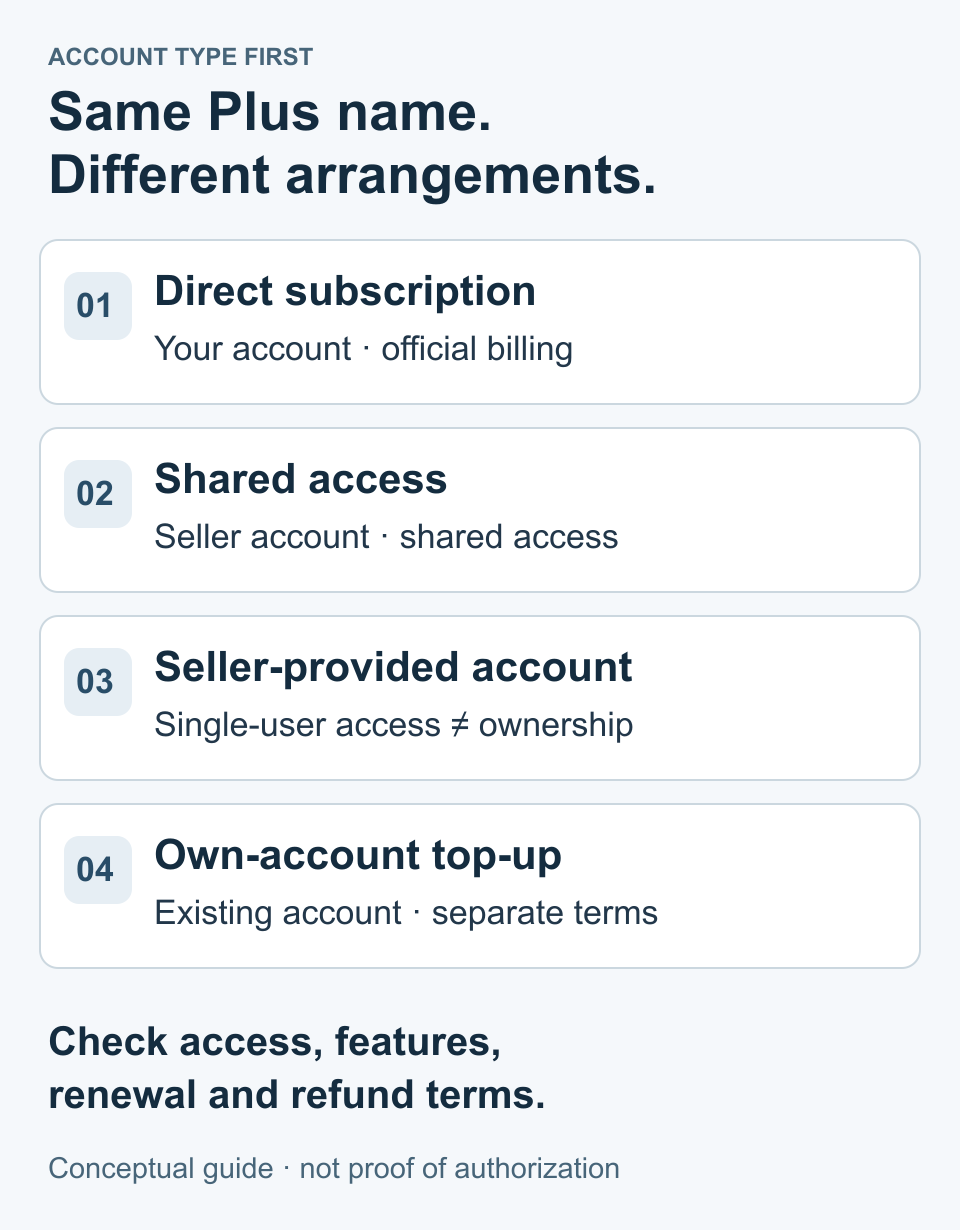
| Type | Description of what we checked | Terms to consider |
|---|---|---|
| Direct Plus subscription through OpenAI | Subscribe directly and manage billing through your own account | Official pricing, usage limits, and cancellation and refund terms vary by purchase platform |
| GamsGo Plus shared account | Described as an account provided by the seller and shared by multiple people | Exposure of conversations, shared usage limits, account management permissions, and conflicts with the terms of service |
| GamsGo Plus individual account | A product where you use an account provided by the seller on your own | Cannot be assumed to have the same ownership and recovery rights as an account you created yourself |
| GamsGo Plus top-up to your own account | Top up your existing personal account; requires you to provide an Access Key | Scope of credentials, account eligibility, and refund restrictions after the top-up is completed |
GamsGo’s account product page says that shared users may be able to access conversation history and that usage limits are shared. It also states that Codex access is not guaranteed. A seller’s use of terms such as “individual account” or “official” does not confirm OpenAI authorization, equivalent features, or account recovery rights. Seller’s account product description
OpenAI’s Terms of Use do not allow sharing account credentials or providing an account to another person. Therefore, we do not present shared access as an official family plan or an authorized shared subscription. We were also unable to verify the permissions of the Access Key required by the seller or an OpenAI-authorized process for topping up your own account, so we do not guarantee safety or compliance with the terms of service. This article does not explain how to generate or provide keys, or access shared accounts. OpenAI Terms of Use
What were the official price and the actual amounts shown for selection?
OpenAI lists Plus at $20 per month, billed monthly, and says it does not offer annual billing or multi-month prepayment. API charges are separate, and usage limits apply. The official amounts below are simple totals calculated from the listed USD price; they are not final charges including taxes on a Korean checkout screen or app store prices. Official ChatGPT Plus information
| Period | Cumulative official Plus listed price | GamsGo shared option displayed total / monthly equivalent |
|---|---|---|
| 1 month | $20 × 1 = $20 | $6.85 / $6.85 |
| 3 months | $20 × 3 = $60 | $15.18 / $5.06 |
| 6 months | $20 × 6 = $120 | $31.35 / about $5.23 |
Conditions checked for the shared option: Plus sharing · auto-renewal OFF · GamsCare+ not applied · code BWBK5 · one-time payment · Kakaopay selected · wallet use OFF. Subtotals were $6.99, $15.49, and $31.99; code discounts were $0.14, $0.31, and $0.64; and the payment fee shown on that payment preparation screen was $0.00. No payment was made, and no separate tax item was shown. This does not mean that taxes are exempt, that fees are zero for all payment methods, or that card currency conversion costs are zero.
The two columns do not compare final charges under the same contract, account permissions, guarantees, and tax conditions. Therefore, the difference is not presented as a confirmed saving or discount rate. Nor is there any guarantee that the discount shown for this code applies to other products, users, or renewal orders.
On the selection screen for a different type of 1-month product, the seller-provided individual account was shown at $28.41 after applying the code, and the top-up to your own account was shown at $27.43. Unlike the shared option, which we checked through the payment preparation screen, these are amounts at the product selection stage. The top-up option had auto-renewal OFF, no guarantee applied, and the BWBK5 code; its price differed from the $17.99 stated in the description. If you want Plus on your own account, take care not to mistake the shared option’s price for the top-up price. Top-up product description
Is prepaying for a longer term worthwhile even if you only need it briefly?
Dassago recalculates the cost as displayed total ÷ actual number of months used. The following is an arithmetic analysis of the shared option quote we checked; it does not recommend shared access or guarantee future prices, refunds, or uninterrupted service.
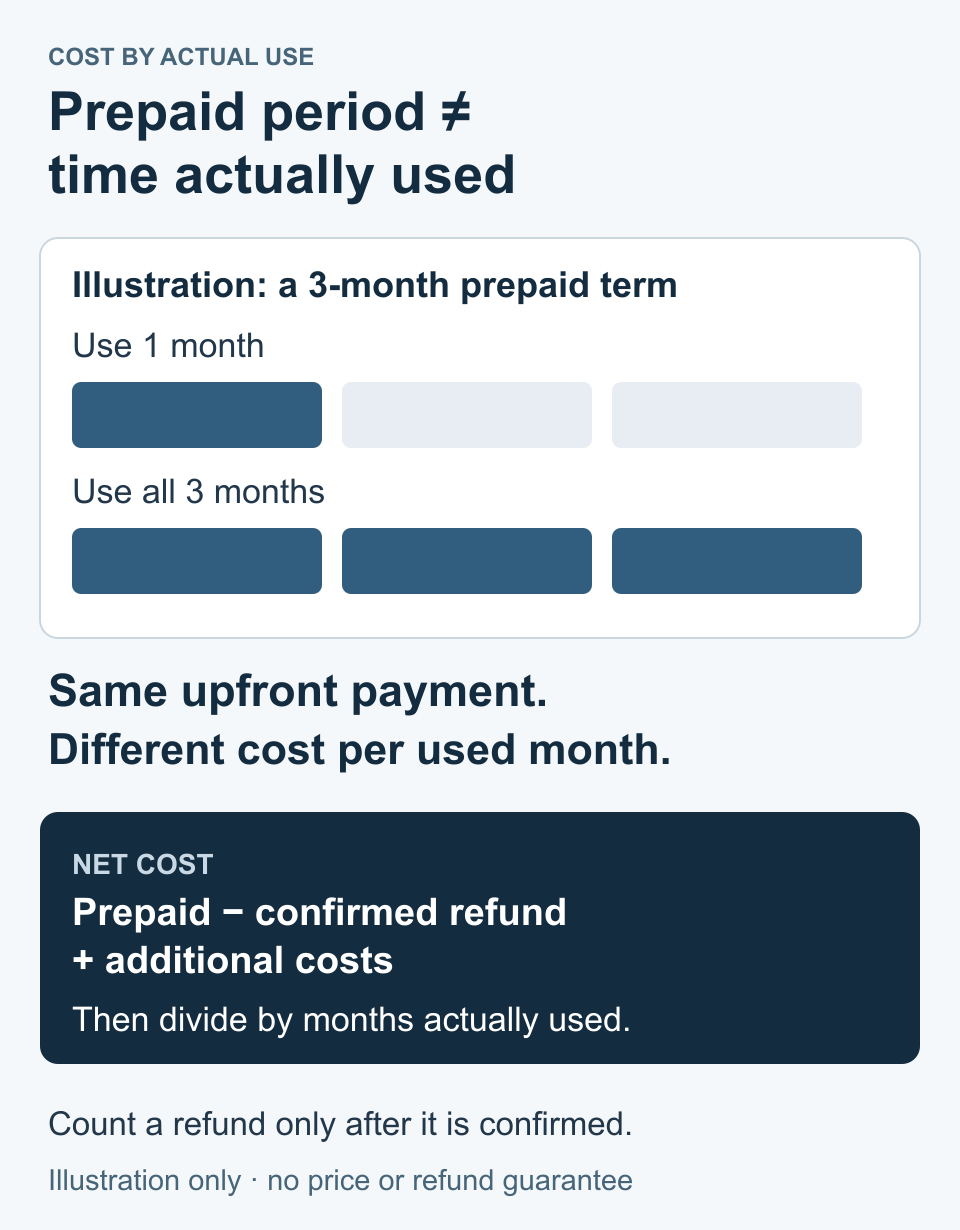
| Actual usage | Prepaid amount | Cost per month of actual use |
|---|---|---|
| 1 month | $15.18 | $15.18 |
| 2 months | $15.18 | $7.59 |
| 3 months | $15.18 | $5.06 |
Assuming that the displayed price of $6.85 for the 1-month product stays the same on repurchase as a hypothetical, two purchases would cost $13.70, which is $1.48 less than prepaying for 3 months, while three purchases would cost $20.55, or $5.37 more. In other words, with these input values, the difference reverses in the third month of use. Repurchase prices, codes, and supply are unverified future conditions, so these are not confirmed costs.
Also, the monthly equivalent of the 6-month quote is $31.35 ÷ 6 = $5.225, or $5.23 when rounded to the nearest cent. This is higher than the 3-month quote’s $5.06. Check the total for each actual usage period instead of assuming that “longer terms cost less.” If a refund is approved, recalculate as (prepaid amount − actual refund amount + additional costs) ÷ actual usage period, and do not deduct an unconfirmed refund amount in advance.
What should I check about auto-renewal and refunds?
Direct official subscription
OpenAI advises canceling at least 24 hours before the next billing date and explains that ordinary cancellation lets you use the service until the end of the current billing period while stopping the next renewal. Cancellation and refunds for previous payments are separate. For web and Google Play purchases, use OpenAI Support; for Apple purchases, use the appropriate channel for the actual billing platform, such as Apple. Official cancellation guidance
OpenAI’s official refund information separately describes full refunds for unused purchases canceled within 7 days for residents of South Korea, as well as pro-rated handling for other periods. The South Korean terms should not be applied to other countries, nor should this information be treated as a refund promise for GamsGo purchases. Check the purchase channel, place of residence, and terms for the specific charge. OpenAI refunds and country-specific exceptions
GamsGo-provided accounts and top-ups
GamsGo’s recurring payment information describes renewal 5 days before expiration, promotional and code benefits on the first order applying only to the first term, and advance notice of price changes. Do not calculate on the assumption that cancellation on the expiration date is sufficient or that the first-order price will remain in effect indefinitely. The comparison table here is based on one-time quotes with auto-renewal turned off.
The notice for the shared product when not enrolled in GamsCare+ says there is no refund or compensation if service is interrupted. Check any coverage option separately for additional costs and conditions for requesting a refund of remaining value; the general page’s “24-hour refund” wording does not promise refunds for every option. GamsGo general refund policy
Top-ups are subject to separate top-up service terms and refund policies. The pre-payment notice specified that existing Pro or Team accounts are excluded and that refunds are not available after the top-up is completed. The top-up refund policy provides for statutory exceptions and says that top-ups that fail due to the platform or are not properly applied may qualify for a refund or compensation after review. Do not interpret this to mean that a refund is available simply because benefits go unused after completion, or that changes to the original service’s policies or account restrictions are covered. Top-up service terms · Top-up refund policy
What should I check before paying, and in what order?
- Check which product type it is: shared access, a seller-provided individual account, or a top-up to your own account.
- Check the features you need, especially Codex, usage limits, conversation access, and recovery permissions. Do not assume they are equivalent just because they are called Plus.
- Set the period, coverage, renewal, currency, code, and payment method, then record the total rather than the subtotal.
- If credential requirements conflict with the original service’s terms or the scope of permissions is not explained, do not submit them or proceed with payment.
- Read the separate terms, service interruption and refund exclusions, and the next renewal date and price. Exclude unverified figures from the comparison.
If you need a GamsGo link and code, you can check the current terms at GamsGo product and promotion terms (affiliate). Code BWBK5 was used in this review; its application, savings, and service eligibility are not guaranteed. Visiting the link does not constitute a recommendation to purchase or confirmation of OpenAI authorization.
Frequently Asked Questions
Are shared plans and plans topped up through your own account the same Plus?
Even if they have the same name, they differ in account management, conversation access, included features, support, and refund terms. This article does not treat them as the same product when calculating discount rates.
If the monthly equivalent for 3 months is $5.06, can I pay for just one month?
No. The quoted price for 3 months is a $15.18 upfront payment divided by 3. If you use it for just one month and there is no refund, your cost is $15.18.
Which price should I look at for a top-up plan: the price in the main text or the price in the payment panel?
Check the amount shown in the panel with the product type, duration, coverage, renewal, and code selected, as well as the amount on the checkout preparation screen. If they differ, confirm the applicable terms with the seller, and do not treat the lower price in the main text as the confirmed amount.
Related guides: Check application and errors · Differences between marketplaces and direct purchases