Canceling YouTube Premium stops the next renewal, while a refund is a separate request to get back fees you have already paid. First, check your receipt to see whether YouTube, Google Play, or Apple billed you, then manage your subscription through that channel. With a standard paid subscription, you can continue using the service until the end of the period you paid for even after canceling, but cancellation alone does not refund the fee for the remaining period. Even if you subscribed at a discount or are on a free trial, check the end date, next charge, and individual terms separately.
Final review: . Based on publicly available help information from YouTube, Google Play, and Apple. This does not record an actual cancellation or refund made on your account, nor does it guarantee approval, processing time, or benefits upon rejoining.
YouTube cancellation instructions · YouTube refund policy
Before canceling YouTube Premium, check who bills you
Watching on an iPhone does not mean Apple bills you, and using Android does not mean every subscription is billed through Google Play. Your starting point is the account shown on the receipt, billing details, or subscription list, not the device you use. If you have multiple accounts, distinguish the account you use to watch videos from the account used for the actual payment.
| Billing channel identified | Where to check first |
|---|---|
| Direct YouTube subscription | The relevant subscription under YouTube purchases and memberships |
| Google Play billing | The subscriptions list for the Google Account used to pay |
| Apple billing | The subscriptions list for the Apple Account shown on the receipt |
| Carrier or external seller | Order and subscription management and customer support from the contracted provider |
If YouTube does not appear in Apple Subscriptions, check the account shown on the email receipt. If you do not have a receipt, look for the billing company on your card statement. Do not assume that a carrier or external product can be handled through the refund process for a direct YouTube subscription. Instructions for when you can't find a subscription from Apple · YouTube instructions for managing subscriptions by billing provider
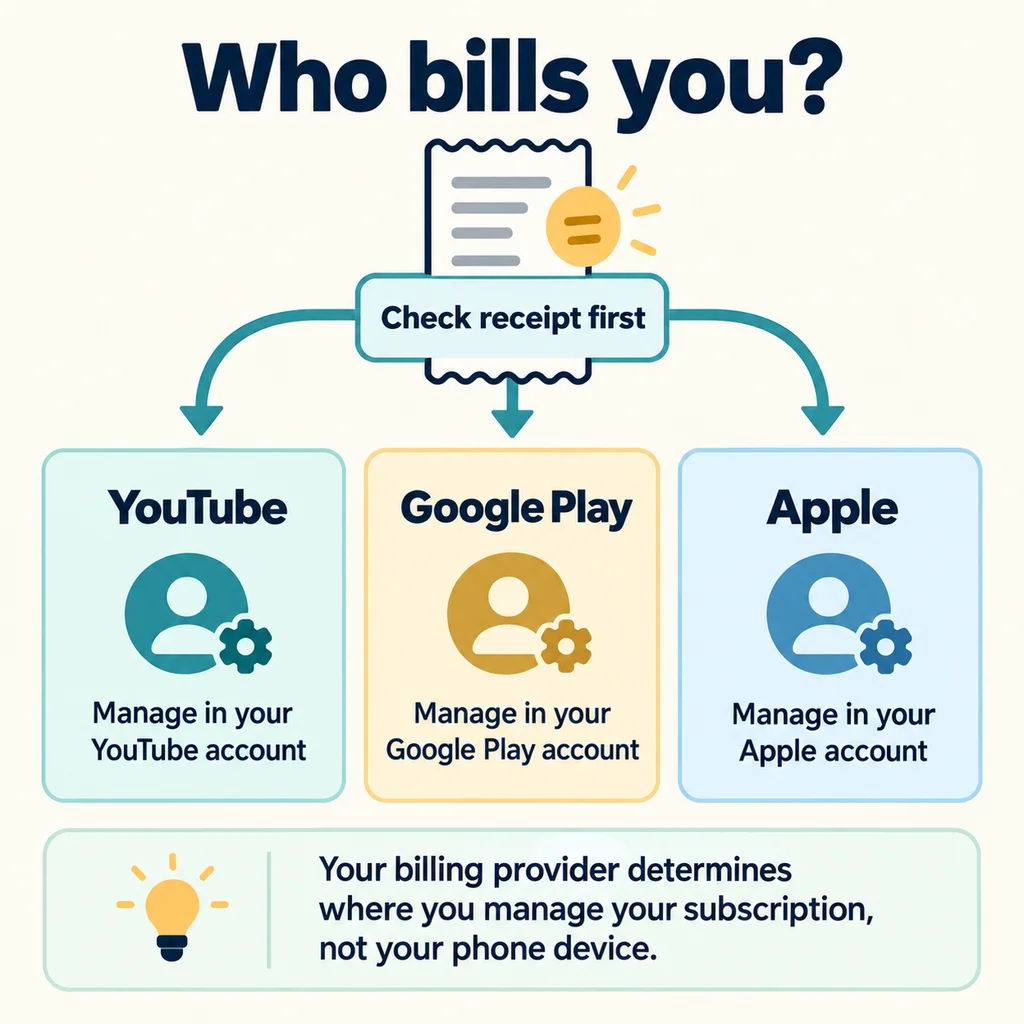
How to cancel YouTube Premium by billing channel
If you subscribed directly through YouTube
- Using the Google Account you paid with, open Purchases and memberships.
- Under membership management for the relevant Premium item, proceed with deactivation and cancellation.
- Follow the on-screen instructions, such as selecting a reason, through the final confirmation step.
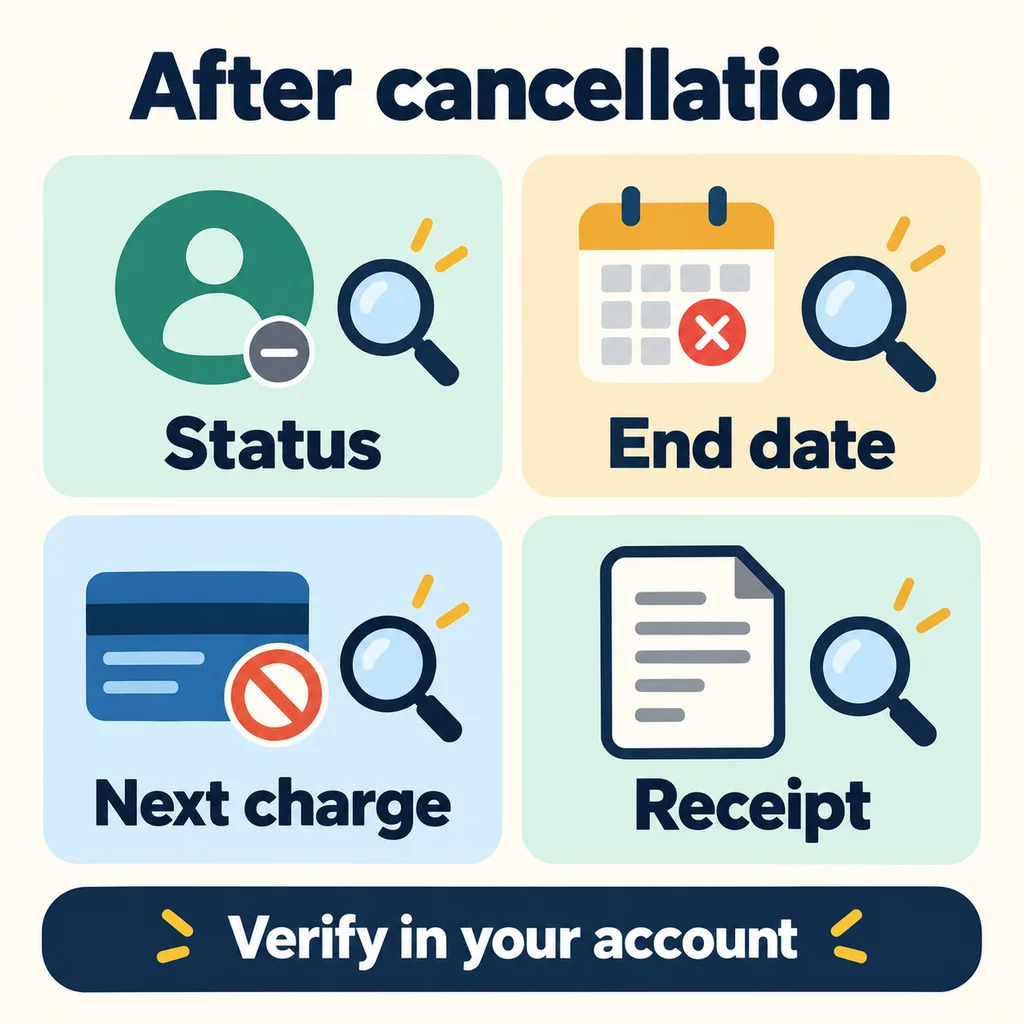
- Return to the management screen and check the cancellation status and end date for access.
Menu names and the order in which they appear may vary by device and account. Do not assume cancellation is complete just because you closed an intermediate screen; check the resulting status. Official YouTube cancellation process
If billed through Google Play
Open the subscriptions list for the Google Play payment account and follow the cancellation instructions for YouTube. If you do not see the item, check whether you are using another Google Account or a different billing channel. Deleting the app does not cancel a subscription. Instructions for canceling a Google Play subscription
If billed through Apple
On your iPhone, go to Settings, your name, Subscriptions, and YouTube to cancel. If there is no Cancel button or you see an expiration notice, check whether the subscription has already been canceled. You can also find the Apple web subscription management path in the official help information. How to cancel an Apple subscription
This article is not intended to recommend changing prices, but to help you manage billing for your current subscription accurately.
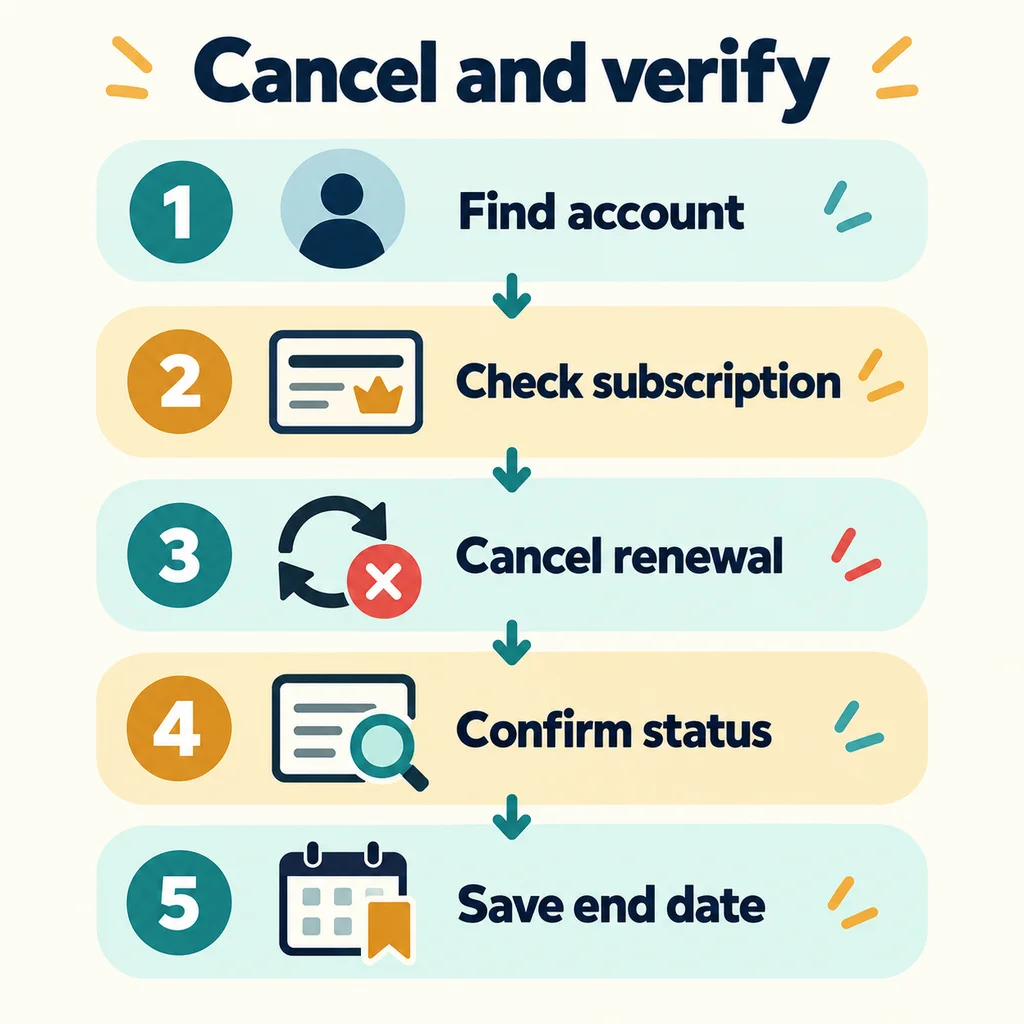
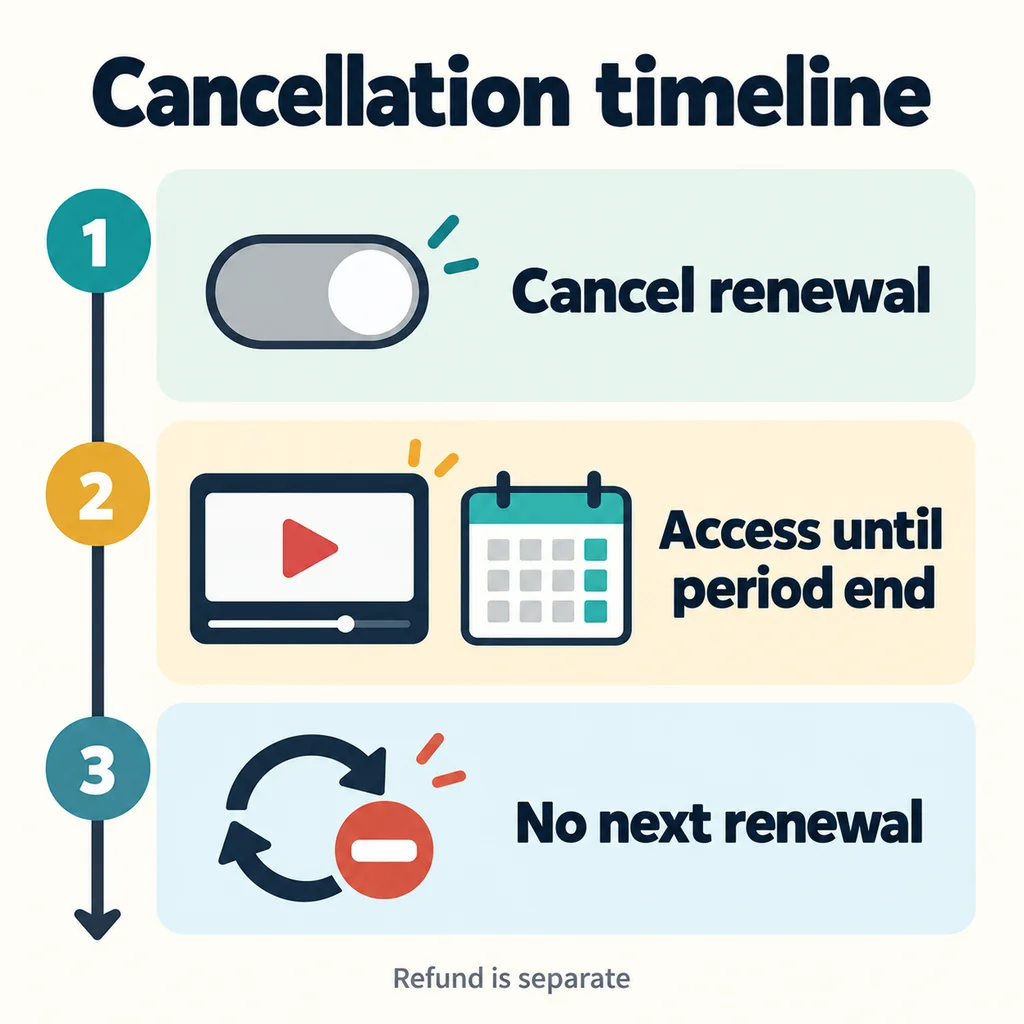
How long can I keep using it after canceling, and what happens to the next payment?
For a standard paid subscription, canceling renewal and the expiration of the period already paid for happen at different times. YouTube Help explains that the benefits of a canceled subscription continue until the end of the billing period. By contrast, access may end when a refund is processed, so the two should not be viewed as the same timeline.
DassaGo's verification method: Record the status on the subscription screen, the end date for access, and the next billing notice separately. Do not conclude that automatic billing is on just because videos are still ad-free, or that there will be no next charge merely because you remember tapping the Cancel button.
If you are restricted from rejoining on a different plan, check whether paid time remains on your previous subscription. YouTube notes that in some cases you must wait until the previous billing period ends before joining a new individual or family plan. Do not repeat new payments across multiple accounts to try to fix an error. Official instructions for when you still have an existing subscription
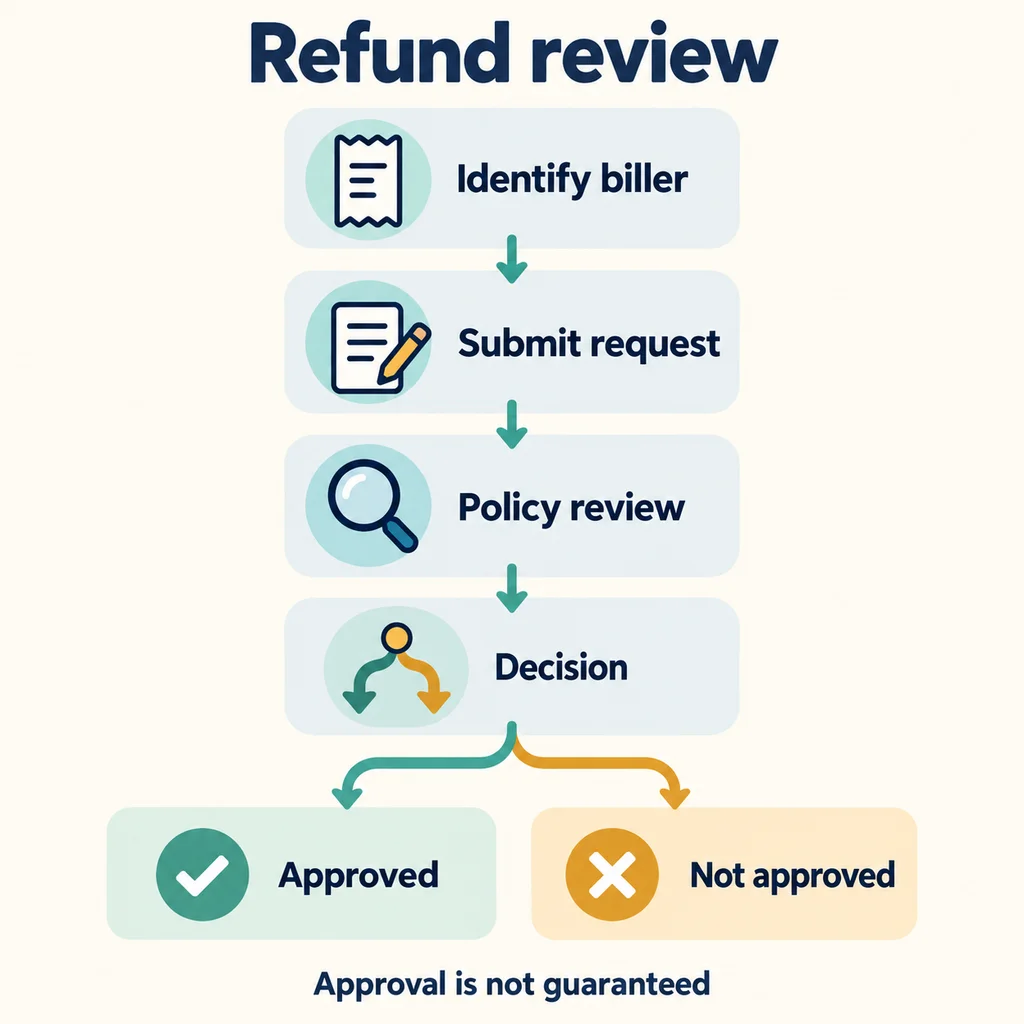
YouTube Premium refunds: criteria that differ from cancellation
YouTube's public policy states that simply canceling a subscription does not result in a refund for the remaining time before access ends. It explains that you may be able to request a refund if videos or features in the service do not work, but submission of a request, approval, and actual payment are separate steps. There are also restrictions on prepaid products that have been partially used.
| Situation | What to distinguish |
|---|---|
| You plan to stop using it starting next month | Check whether future renewals are canceled. This is separate from refunds for past charges. |
| Requesting a refund for a charge already made | Check the billing entity's refund policy, reason, and order details. |
| A partially used prepaid product | Check YouTube's public refund restrictions and the product terms. |
| An amount paid to an external seller | Check the request channel and policy under the relevant seller agreement. |
For a refund request for a direct subscription, start with the YouTube refund instructions. Decisions about the actual amount, usage status, and reason are subject to review by the support channel. Do not extend general guidance into a universal refund entitlement across all countries and contracts.
Refund requests for Google Play and Apple billing
If you paid through Google Play, check the relevant route for the purchase type, date, and region in the Google Play refund policy. Do not apply refund examples from other apps or arbitrary time limits to YouTube Premium.
For Apple billing, select the purchase and submit a refund reason on the Apple Report a Problem page. Apple says it will provide an update within 24–48 hours of the request, but this does not promise approval or completion of a refund to your account or card. It may take additional time for an approved refund to appear on your payment method. Official Apple refund request instructions
If you were charged after canceling or can't see a refund option
First, do not assume there is an error; organize the facts in the following order. This is DassaGo's verification checklist and does not determine the cause of an issue with an individual order.
- Account: Check whether the Google or Apple Account on the receipt is the same as the account you are checking.
- Transaction: Distinguish a pending authorization, a finalized charge, payment for a previous period, and a separate subscription.
- Timing: Compare the time cancellation was completed with the actual renewal time and the end date for access.
- Product: Check which contract applies: Premium, Music Premium, Lite, or an external product.
- Support: Provide the order number, payment date, amount, error message, and cancellation status to the official support channel for the relevant billing company.
According to Apple's guidance, a charge that is still pending may not be available to process in the refund request list. Check that a receipt was issued and confirm the account used, then contact official support. If you can't find the charge you want refunded from Apple
Do not post passwords, verification codes, or full card numbers on public forums. When sharing a screen for support, hide any unnecessary personal information. If the issue is with the service activation itself, distinguish a problem with how the product is provided, such as Checking a GamsGo YouTube activation error, from a cancellation or refund request.
Why cancellation and renewal terms matter even when you get a low price through a discount
The first-month discount and the monthly equivalent of a long-term prepayment may not explain your total spending. Consider the amount you will pay over the expected usage period, the price after the discount ends, and whether you can get a refund for the remaining contract period. Canceling a subscription does not reset your eligibility for a discount when you sign up again.
YouTube’s public trial information explains that a trial may renew as a paid subscription if you do not cancel before it ends, and that eligibility and trial duration are limited. Check the terms actually shown in your account; it does not say that everyone can get another free trial immediately after canceling. Apple separately advises canceling trial subscriptions at least 24 hours before they end if you do not want them to renew. YouTube trial and promotion terms · When to cancel an Apple trial subscription
Compare costs in Ways to get YouTube Premium for less and compare discounts; alternatives with different features are covered in Premium Lite pricing and feature differences. Products sold by external vendors may have different contracts from direct official subscriptions, so distinguish them by reviewing Differences in Gamsgo’s seller, warranty, and refund process. This article does not guarantee any seller’s current discounts or refund approval.
Frequently Asked Questions
Will ads appear immediately after I cancel YouTube Premium?
With a standard paid subscription, you can continue using the service for the remainder of the paid period. Check the cancellation status and end date. Do not assume that the terms for refunds, free trials, and external contracts are the same.
What should I do if I can’t see the cancel button on my iPhone?
First, check whether Apple handles the billing. If it does, compare the account on your receipt with your subscription status. If you paid through another channel, you must manage the subscription through that provider.
If I cancel automatic payments, will I also get this month’s fee back?
Cancellation and refunds are separate. To get money you have already paid back, check the payment provider’s policy and review process for requests; do not interpret a simple cancellation as approval for a prorated refund.
Will I receive the money within 48 hours of requesting a refund from Apple?
Apple’s 24–48-hour guidance refers to the time to wait for an update on your request. Approval and the time it takes for the refund to appear on your payment method are separate, so this should not be treated as the time by which the money will be deposited.
Can I cancel to get another discount or free trial?
Canceling does not by itself make you newly eligible for a discount or trial. Check your prior usage history and the actual offer shown in your account.
Can I get a refund from YouTube for products from external vendors such as Gamsgo?
First, check your contract with the seller who received your payment. Do not assume that an external order is covered by the same refund terms as a direct YouTube payment; check the applicable policy on the order page and through the seller’s official support.
Official sources and scope of verification
Last reviewed: 2026-10-16. We reviewed YouTube’s guidance on cancellations, refunds, duplicate subscriptions, and trials; Google Play’s recurring payment and refund policies; and Apple’s guidance on canceling subscriptions and requesting refunds. We did not verify individual account eligibility for refunds, approval outcomes, current prices, discounts for signing up again, or current policies for individual external sellers.
The five images in this article are explanatory diagrams created by 다싸고 using AI; they are not actual service screens or evidence of transactions. They are designed so readers can find the procedures and exceptions in the article’s main text without needing to read the short English labels in the images. Links are limited to official guidance and existing related articles, and no new affiliate purchase buttons have been added to this article.