Trip.com flight cancellation fees do not apply at the same amount to every booking. First, check the cancellation policy and estimated refund amount for the relevant booking. Do not calculate the refund period based solely on the date the cancellation was submitted; distinguish between the booking processing status and when the refund is reflected by the payment method. This article is a verification guide for users who want to cancel a flight ticket because of a personal schedule change. If you received notice of a cancellation or schedule change, first review the separate checklist below.
Initial review: 2026-09-11 (KST). Additional review: 2026-10-23 (KST) — rechecked refund methods and posting times in section 4 of the general terms; flight changes, cancellation, guest requests and itinerary-use order in section 5; the separate Cancellation Guarantee terms; and Korean customer-service contacts. Other items retain the initial review scope. This is not an account of directly canceling or receiving a refund for a specific booking, and it does not guarantee the refund amount or processing date for any individual booking.
Trip.com Flight Cancellation: 4 Things to Check First
- Reason for cancellation: Determine whether the cancellation is due to a change in your schedule or an airline cancellation or schedule change.
- Cancellation scope: Check the booking number, passengers, outbound and return flights, and connecting flights.
- Amount to be refunded: Compare the estimated refund amount and deducted items shown on the cancellation request screen, rather than the total amount paid.
- Refund progress: Record the submission date, the stated expected processing date, and the payment processing date separately.
Trip.com's General Terms of Use instruct users to check the change and cancellation fees for each ticket during the booking process and in the booking information. Some fares may be nonrefundable, and the airline's terms also apply. Check the air ticket provisions in the official General Terms of Use
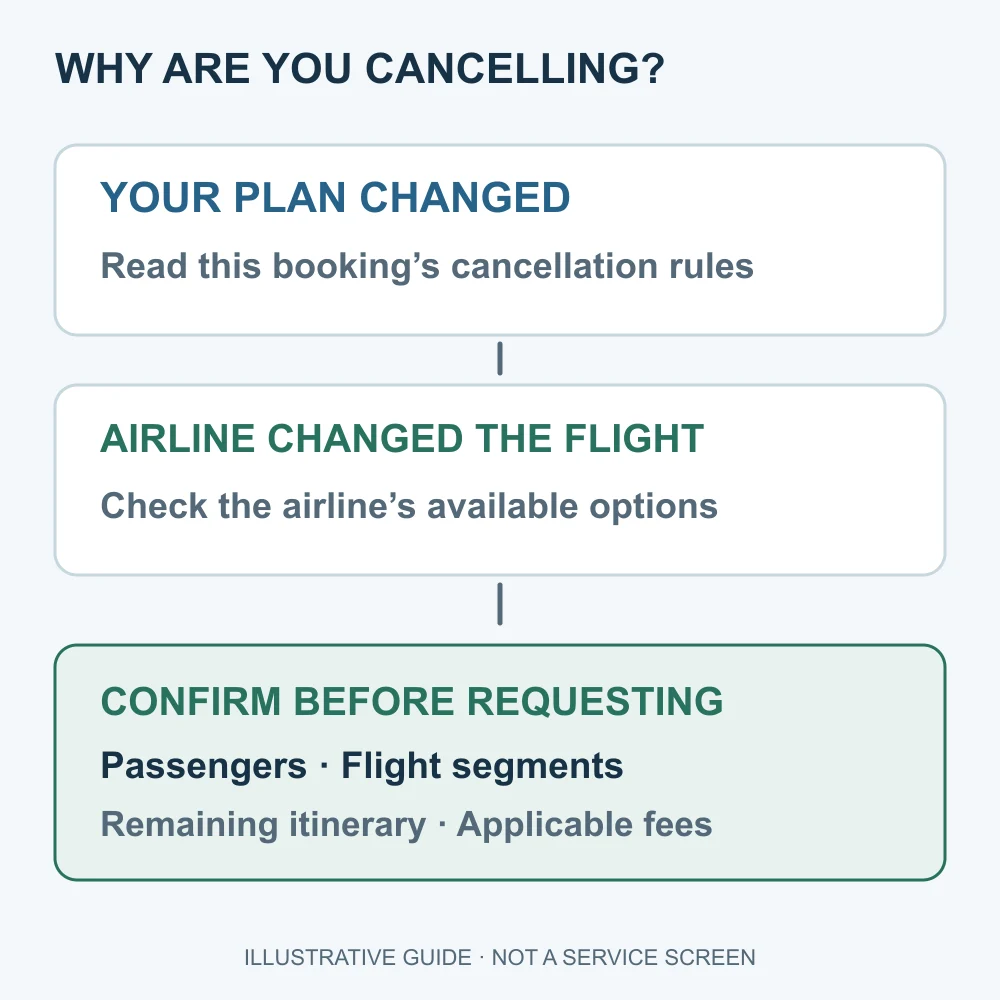
Distinguish a personal change of plans from an airline cancellation or schedule change. Check this booking’s rules and available options, then confirm passengers, segments, the remaining itinerary and applicable fees.
Where can I see the cancellation fee and estimated refund amount?
Open the booking details for the relevant flight ticket in the Trip.com app or website and find the change and cancellation policy. The screen names may vary depending on the app version and language. Before submitting the final request, note the following items so that it is clear what to ask about if the amount shown later differs.
| Item to check | What to record | Common misunderstanding |
|---|---|---|
| Cancellation scope | Number of passengers, segments to cancel, and segments to retain | Reading the amount for one person as the amount for the entire booking |
| Fare and taxes | Refundable amount for each item | Assuming that the entire amount paid will be returned |
| Deducted costs | The items actually displayed, such as airline fees, and their total | Considering one item alone to be the total cancellation cost |
| Additional products | Whether baggage, seats, insurance, and other items are processed separately | Assuming that canceling the flight ticket means all additional products will be refunded |
| Refund method | The method shown on the screen, such as a card, bank account, or credit | Assuming that credit and a card refund are the same |
Calculation example: What if you paid 300,000 won but receive a 240,000-won refund?
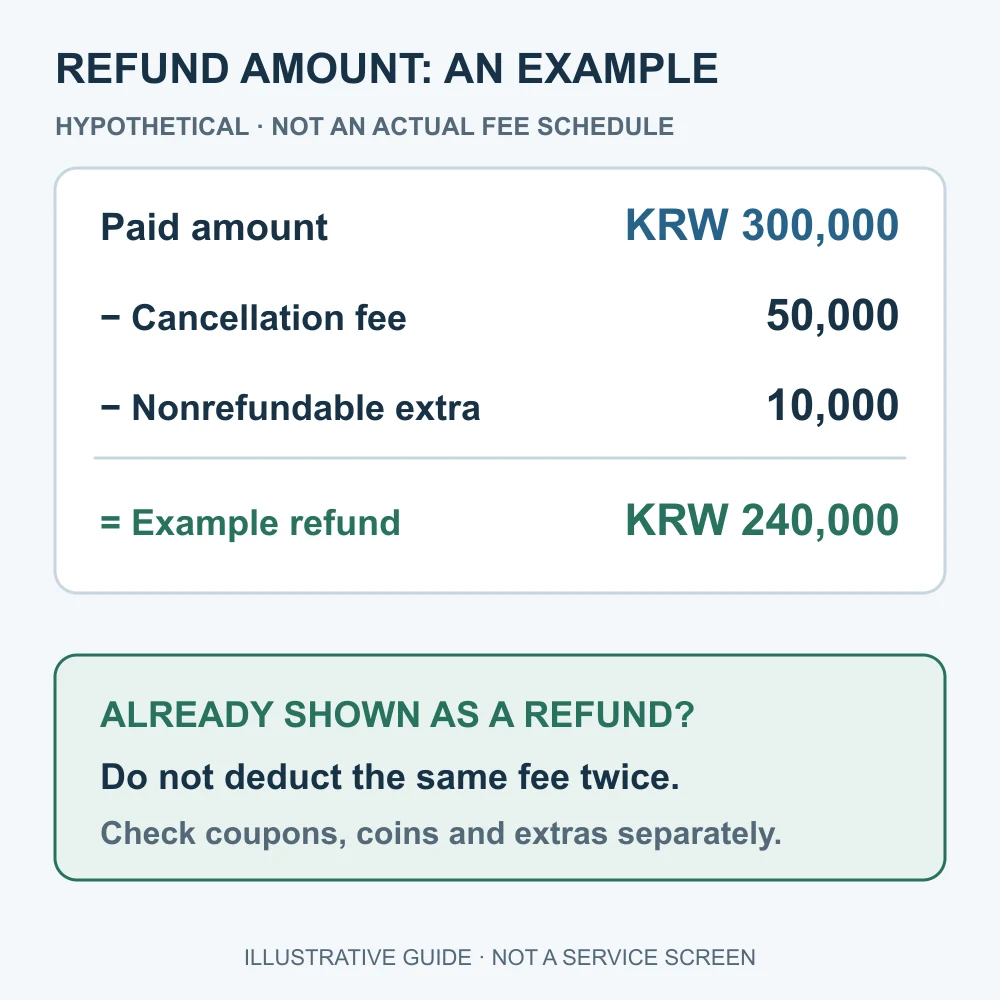
The figures below are a hypothetical example for explanatory purposes and are not Trip.com's actual fee schedule. If the cash payment amount was KRW 300,000, and the refund details separately show a cancellation fee of KRW 50,000 and a nonrefundable additional product of KRW 10,000, you can reconcile the amount as KRW 300,000 − KRW 50,000 − KRW 10,000 = KRW 240,000.
However, if the screen already displays an “estimated refund amount of KRW 240,000,” do not deduct the fee again from that amount. For orders that include coupons, coins, or partially used tickets, do not apply this simple example as is; it is better to check the cash refund amount and the return of benefits separately.
Hypothetical example: KRW 300,000 paid minus a KRW 50,000 cancellation fee and a KRW 10,000 nonrefundable extra gives KRW 240,000. Do not deduct the same fee again from an amount already labelled as the expected refund. Check coupons, coins and extras separately.
Do free cancellation, 24-hour cancellation, and cancellation protection mean the same thing?
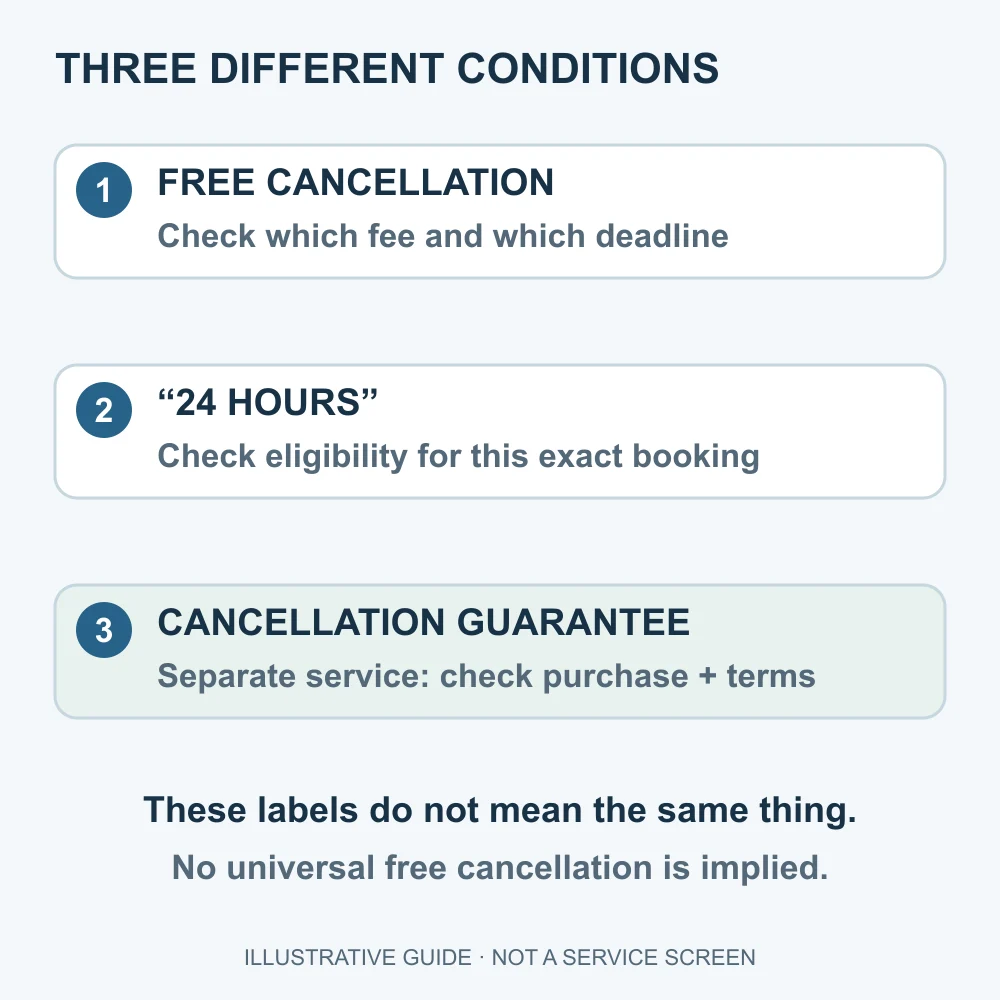
Do not treat them as the same. If you see the phrase “free cancellation,” you must read through to whose costs are waived and what the application deadline is. Do not assume that your flight ticket qualifies based only on search-result wording mentioning “24 hours”; confirm whether it applies in the booking-specific guidance.
Trip.com's separate Cancellation Protection Terms of Use explain the protection service purchased for eligible flight tickets and its conditions of application. This service differs from the standard cancellation policy for ordinary flight tickets. You must check the coverage percentage, application timing, and cancellation route, and should not interpret it as guaranteeing coverage of all additional products or booking fees. The linked public terms show a revision date of 2021-07-15, so also check the latest terms for the specific product provided at the time of purchase.
- Do not infer whether you purchased it merely from the words “cancellation protection”; check your booking details.
- Determine whether the protection covers the airline's cancellation fee or another amount.
- If you have already changed your itinerary, first ask whether the existing protection remains valid.
For free cancellation, check the covered fee and deadline; for 24-hour wording, check this booking’s eligibility. A cancellation guarantee is a separate service: verify its purchase and terms. None of these labels implies universal free cancellation.
How to Cancel a Trip.com Flight Ticket: What to Check Before and After Applying
- Find the original booking. Prepare the account and email address used for the booking, along with your Trip.com booking number.
- Read the policy. Check whether cancellation is possible and what it costs in the ticketing email or booking details.
- Reconcile the details. Check the passenger names and segments. If you want to cancel only part of the booking, ask how this will affect the remaining itinerary.
- Check the amount and method. Save the estimated refund amount, deducted items, and refund method. Ask about any amount you do not understand before confirming.
- If you decide to cancel, submit the request. If an error occurs or the result is unclear, do not repeatedly press the button; check the booking status first.
- Keep the submission result. Record the completion notice, submission date, inquiry number, and expected processing date. Opening the submission screen is not the same as having a cancellation request submitted.
For bookings made without an account, check whether there is a route to look up or request booking information using the email address used for the booking. If you cannot find the booking, it is better to check the status of the existing booking with the official customer center before making a new reservation.
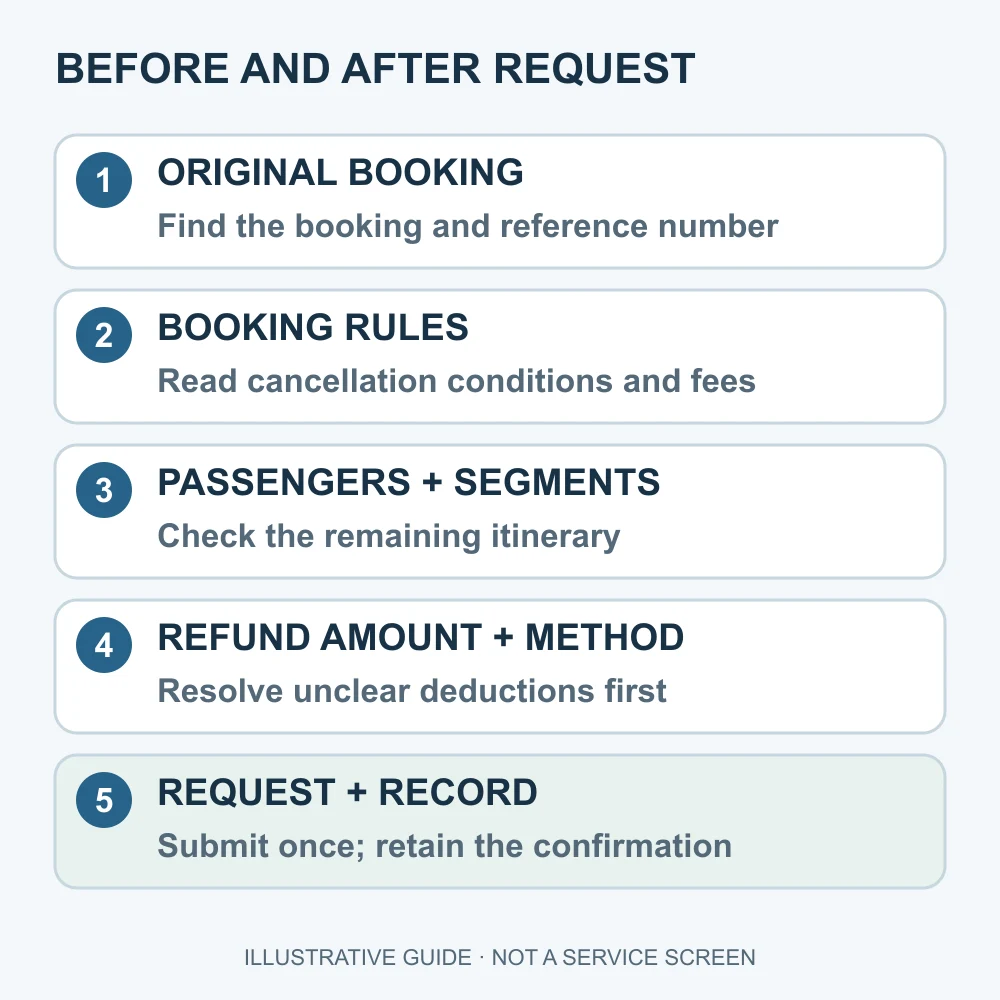
Find the original booking and reference number, read its rules, and confirm passengers, segments and the remaining itinerary. Resolve unclear refund amounts, deductions and return methods before submitting. Keep the confirmation and reference after requesting cancellation.
Trip.com Refund Period: How to Check How Many Days It Will Take
This article does not provide a single refund period applicable to all flight tickets. Trip.com's general terms explain that refunds are usually processed to the original payment method and that the time they are reflected in the account may vary depending on the issuer. Payment and Currency section of the official terms
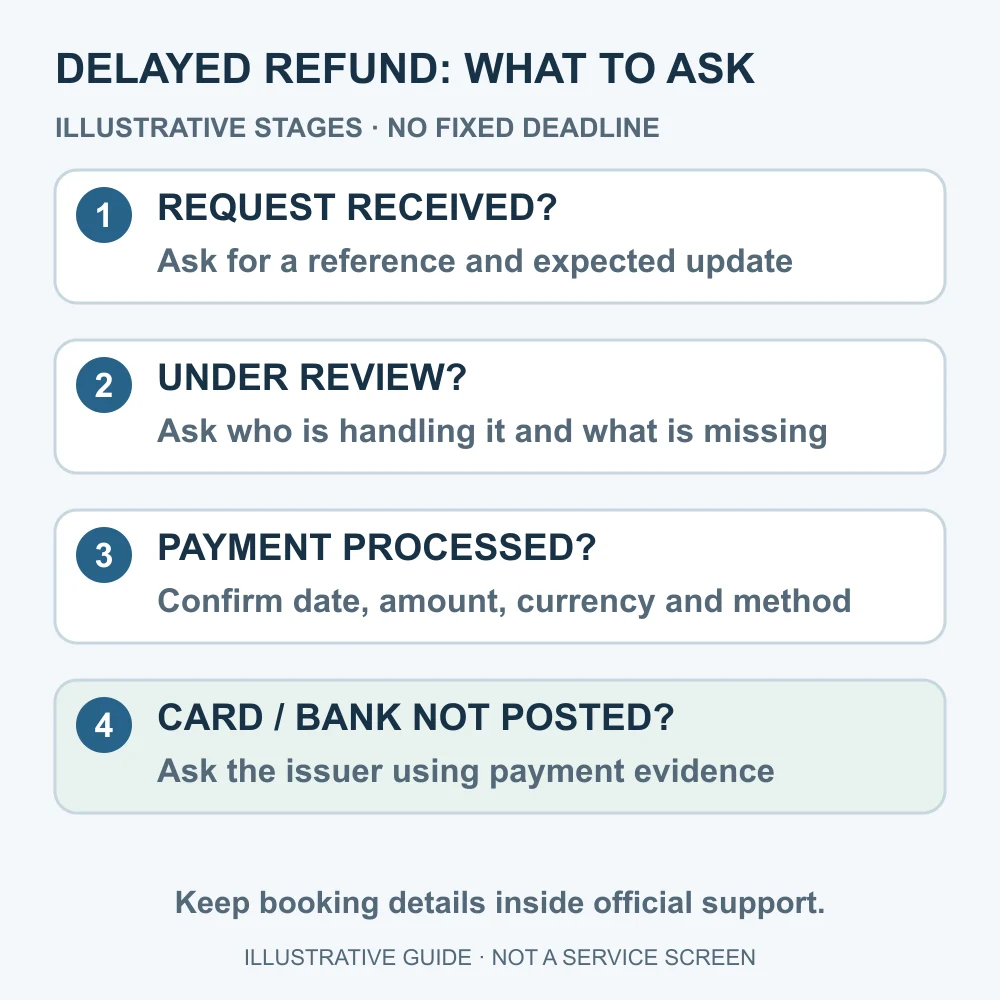
Rather than counting only “how many days it has been since cancellation,” ask questions by separating booking processing from reflection by the payment method as follows. The table is a way to organize inquiries, not a list of fixed status names in the actual app or guaranteed processing deadlines.
| Current situation | Question to ask |
|---|---|
| Immediately after submitting the cancellation request | Was the request successfully received? Is there a submission number and a stated deadline? |
| Under review or being processed | At which stage is it waiting? Are additional documents required? When is the next follow-up date? |
| Payment processing notice received | Can you confirm the payment processing date, amount, currency, and refund method? |
| Not reflected on the card or in the account | With proof of payment, can you check the reflection status with the payment service provider? |
For example, if you were told that processing is based on “business days,” also confirm whether the starting date is the submission date or the payment processing date. Rather than Dassago arbitrarily setting 7 or 14 days as the deadline, it is more accurate to base follow-up inquiries on the expected date actually provided for your booking.
What to Include in Your Customer Service Inquiry
Organizing the following items in order can reduce the need to repeat the same explanation.
- Trip.com booking number and cancellation request date
- Passengers and segments subject to cancellation
- Refund amount, currency, and refund method provided
- Status currently displayed and the date of the next promised update
- Request for confirmation: current party handling the request, reason for the delay, required documents, whether payment processing has occurred, and available proof for checking the status
Provide booking numbers, passport details, and payment information only through the official customer center, not in Dassago comments. Do not send your card password or authentication code. As of the review date, Korean flight and hotel customer support is listed as available 24 hours a day, year-round. The domestic number is 1666-0060 and the overseas number is +82-2-6917-8777. Before calling, recheck the current contact details and service region at the official Trip.com customer center.
Check receipt, the reference and next update; who is reviewing the request and any missing documents; then the payment date, amount, currency and method. If the payment has been processed but not posted, ask the payment provider using evidence. These are not fixed deadlines; share booking details only with official support.
If There Is a Cancellation, Schedule Change, or Partial Cancellation, Stop and Check First
If the airline notifies you of a cancellation or schedule change, do not assume that the procedure is the same as canceling due to your own circumstances. Prepare the notice and booking number, confirm what options are available, and then proceed. If you do not plan to use one segment of a round trip, you should first ask whether the remaining segment can still be used.
For special circumstances such as health issues, confirm the required evidence and submission deadline through official customer support. Submitting the relevant documents alone does not guarantee refund approval. Trip.com Service Protection Information
Frequently Asked Questions
1. How much is the Trip.com flight cancellation fee?
It varies by booking. Check the estimated refund amount and deducted items for the relevant booking. It is also advisable to confirm whether the amount is per passenger and segment or for the entire booking.
2. Is cancellation automatically free if it is within 24 hours of payment?
You must not make that assumption. Check the free cancellation eligibility conditions and deadline shown on your reservation, and contact support before submitting your request if anything is unclear.
3. What should I do if it says the refund is complete, but I do not see the card cancellation?
First, check the actual payment processing date, amount, and return method. Then, ask your card issuer about the posting status based on the payment evidence to help determine whether the issue is a delay in processing the reservation or a problem with the payment method posting.
4. Can I cancel only the outbound flight and keep the return flight?
Do not assume that this is possible. Before requesting cancellation, you must check whether the remaining segment can be used and whether any additional charges apply. Review the entire linked itinerary.
5. Are coupons and Trip Coins also refunded in cash?
Check the cash refund amount and the handling of coupons and coins separately. Do not calculate as though the discount amount used will be returned in cash; ask about whether it will be returned and its validity period for the relevant reservation.
6. If I purchased cancellation protection, will baggage and insurance also be refunded?
You must check the coverage of the protection product. Separately review the refund conditions for the airfare itself, the cancellation protection fee, and baggage, seats, and insurance.
Information to check together before your next reservation
If you plan to book again, do not compare only the discount amount. First reconcile the total amount and conditions using Trip.com Discount and Payment Checklist. You can check coupon eligibility under New Member and App Discount Conditions, and restrictions by promotion in the Trip.com Discount Code Guide. Benefits may change, so check them again on the actual reservation screen.
Check the price and cancellation conditions for a new reservation on Trip.com
Affiliate disclosure: If you make a reservation through the link above, Dassago may receive a commission. Dassago does not charge separate consultation or reservation fees. This link is not a channel for submitting cancellation requests or consulting about refunds; for issues with an existing reservation, use the official customer service center above.
Official sources and scope of review
- Trip.com General Terms of Use: Payment and refund methods, flight changes and cancellations, and reservation lookup. Page display update date: 2026-09-22. Effective date: 2026-09-29. Flight-specific change and cancellation charges and refund eligibility must also be checked against the conditions provided when booking and the airline’s terms.
- Cancellation Protection Terms of Use: The coverage and exclusions of the separate protection service. Page display revision date: 2021-07-15.
- Trip.com Customer Service Center: Contact channels and operating hours for inquiries in Korea and overseas.
- Service Guarantee: Guidance on support related to special circumstances.
The review date is the date on which Dassago checked publicly available materials. It is not the date on which the refund eligibility or processing result for a specific reservation was confirmed. The calculation examples and inquiry checklist in this article are Dassago's explanations and do not replace official fare tables or the terms of an individual contract.